Release Package Download Process Guide
Introduction to Pragma Edge Release Service
Pragma Edge Release Service is a secure and centralized platform designed to provide customers with seamless access to the latest product builds and updates. This service ensures that clients can download, verify, and deploy the most current versions of Pragma Edge solutions with ease and confidence.
The Release Service offers:
- Centralized Access: A single portal for all product builds, patches, and updates.
- Secure Delivery: Builds are hosted on protected repositories, ensuring compliance with industry security standards.
- Version Control: Clearly labeled releases with detailed change logs for better upgrade planning.
- 24/7 Availability: Access the latest builds anytime, from anywhere.
- Customer-Specific Packages: Tailored releases for individual client environments, ensuring compatibility and reliability.
Whether you are deploying a new product, applying a security patch, or upgrading to the latest feature set, the Pragma Edge Release Service provides a trusted and efficient distribution channel that keeps your systems up-to-date and fully supported.
How to Access
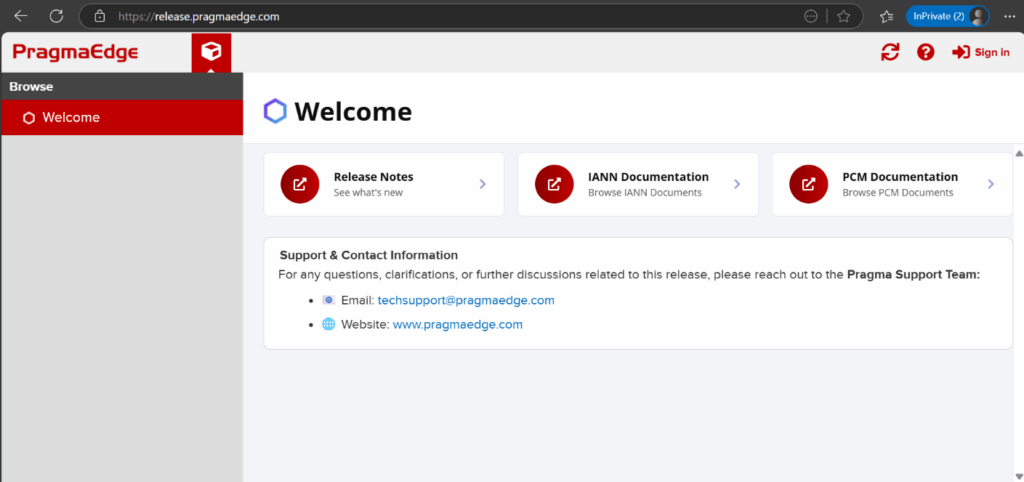
Step 1: Launch your preferred web browser and access the Pragma Release dashboard by entering the provided URL in the address bar.
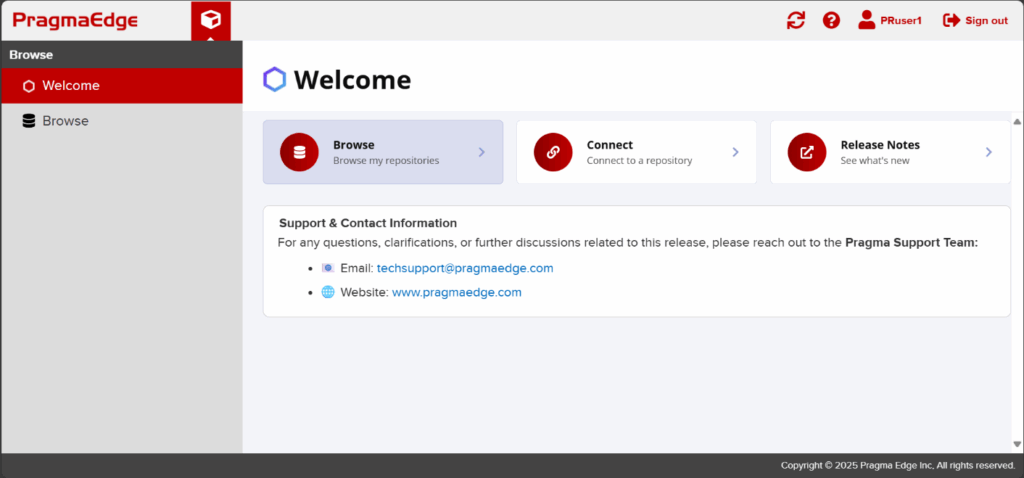
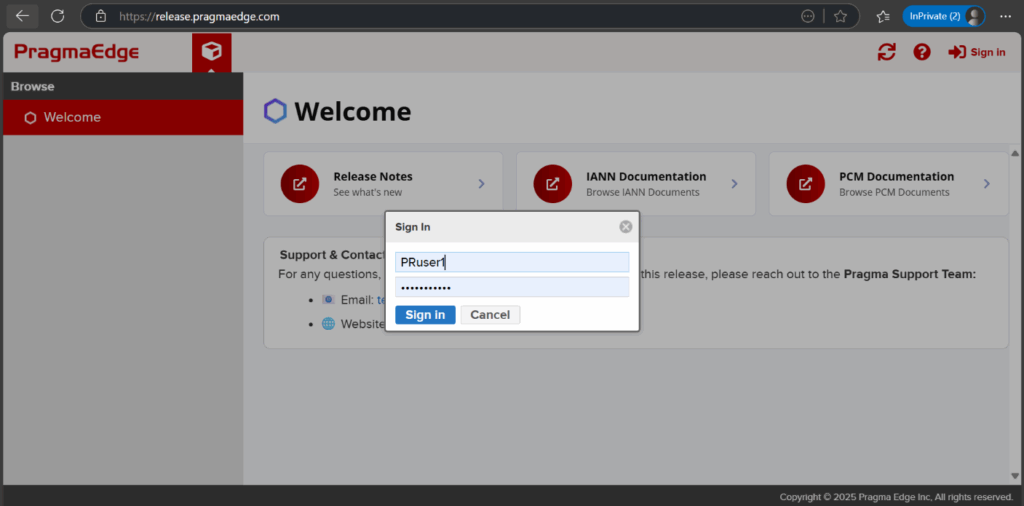
Step 2: Log in using the credentials provided to you.
Step 3: After successfully logging in, navigate to the Browse section, where you’ll find a list of repositories available for your access.
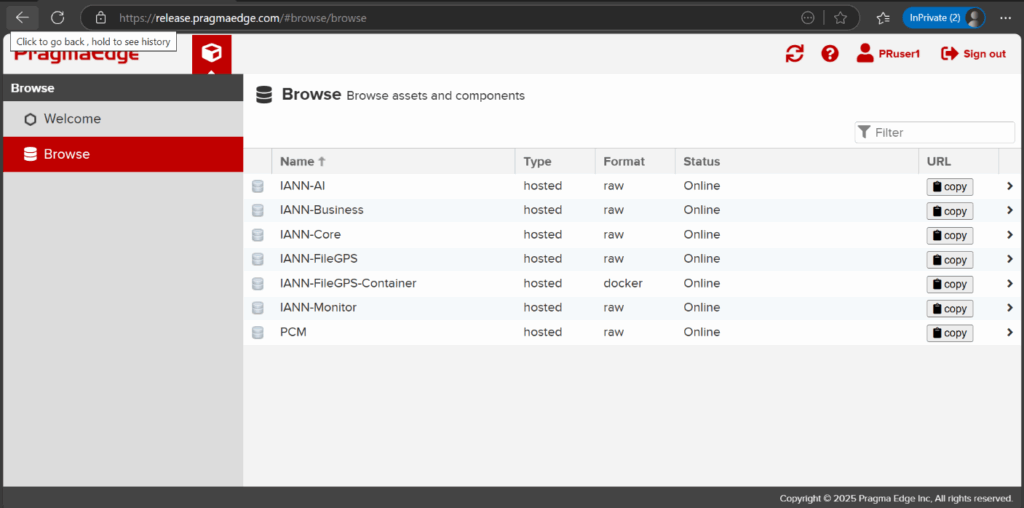
Step 4: Open the desired repository by clicking its name to examine the available data.
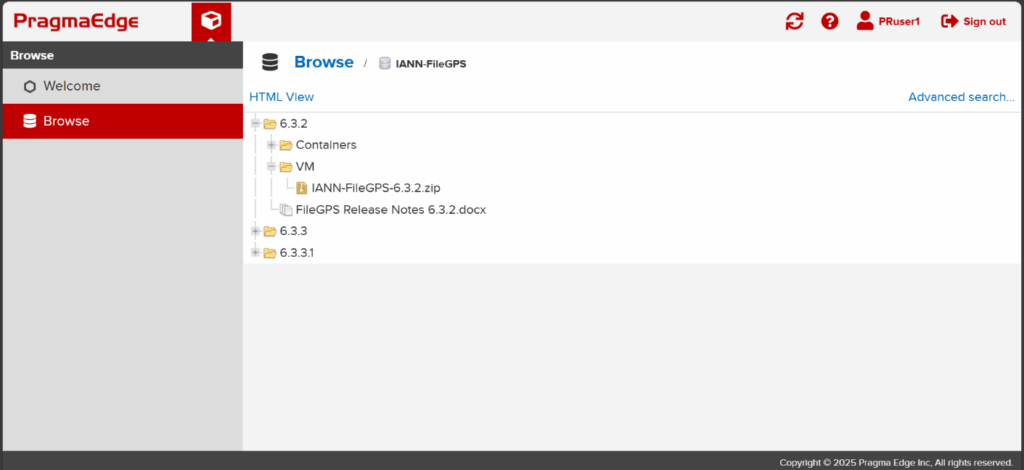
Download Process
Direct Download Instructions – Step-by-Step Guide
Step 1: Access the Browse tab from the menu
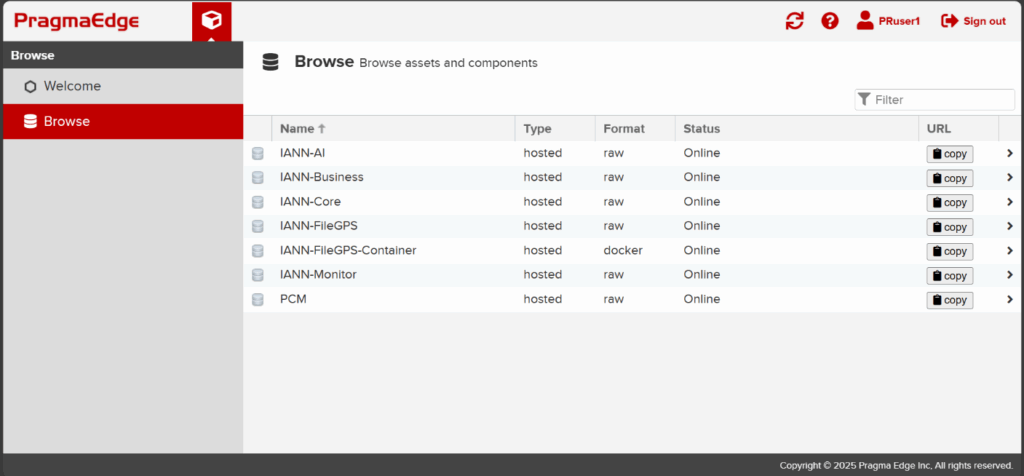
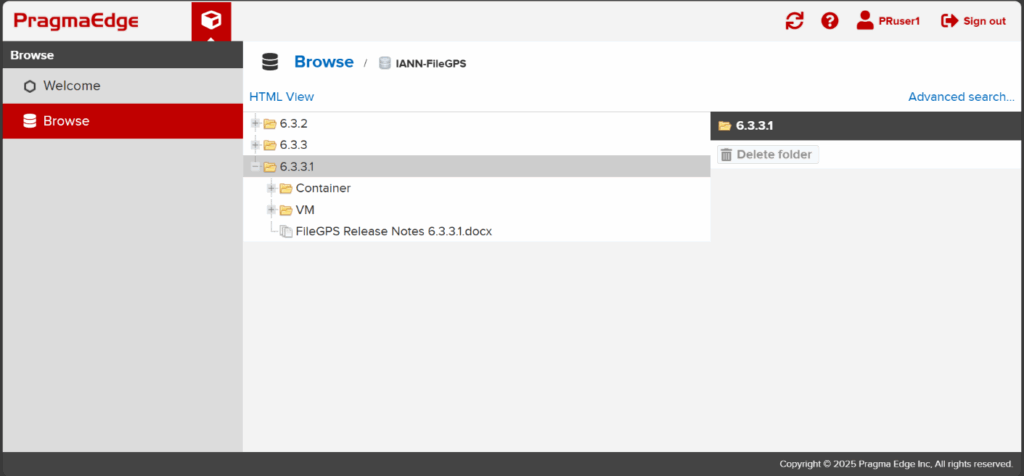
Step 2: Choose the repository that contains your desired file, then navigate to the corresponding release version folder.
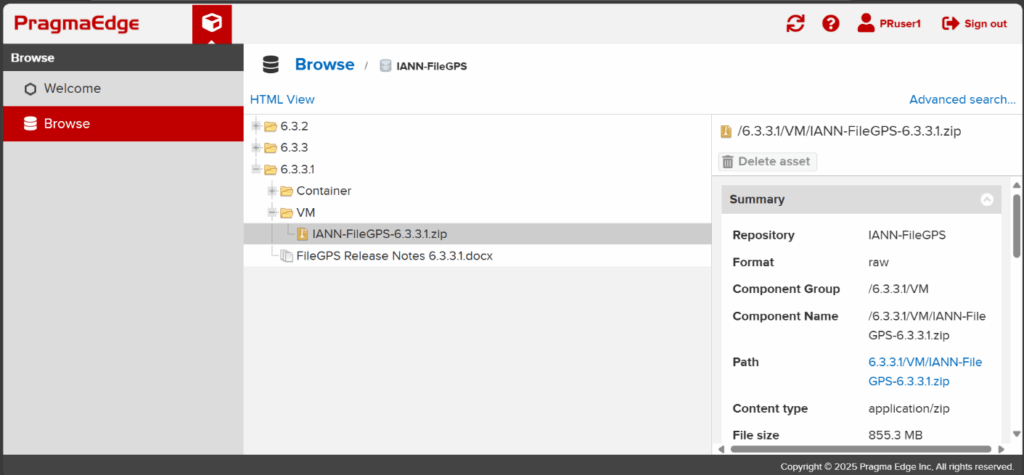
Step 3: Choose the desired build from the list and click the Path link to initiate an instant download
Downloading via CLI – Step-by-Step Guide
“Downloading Builds Using CLI:
Execute the following command to download the builds to your local environment.
curl -v -u <username>:<password> -O <repo_url>/<path-name>/ <build-name->
Executing Builds
Execute the Following Commands
Docker:
Use the command below to load the image into Docker
docker load -i /path/to/image.tar
Next, start the container by executing the following command:
docker run -d --name <container-name> -p 8080:80 <image-name>
Helm:
tar -xvzf <chart-name>.tgzEnter the chart directory:
cd helm-directoryExecute the following command to deploy the Helm chart:
helm install <release-name> ./<chart-name>